1
Detect
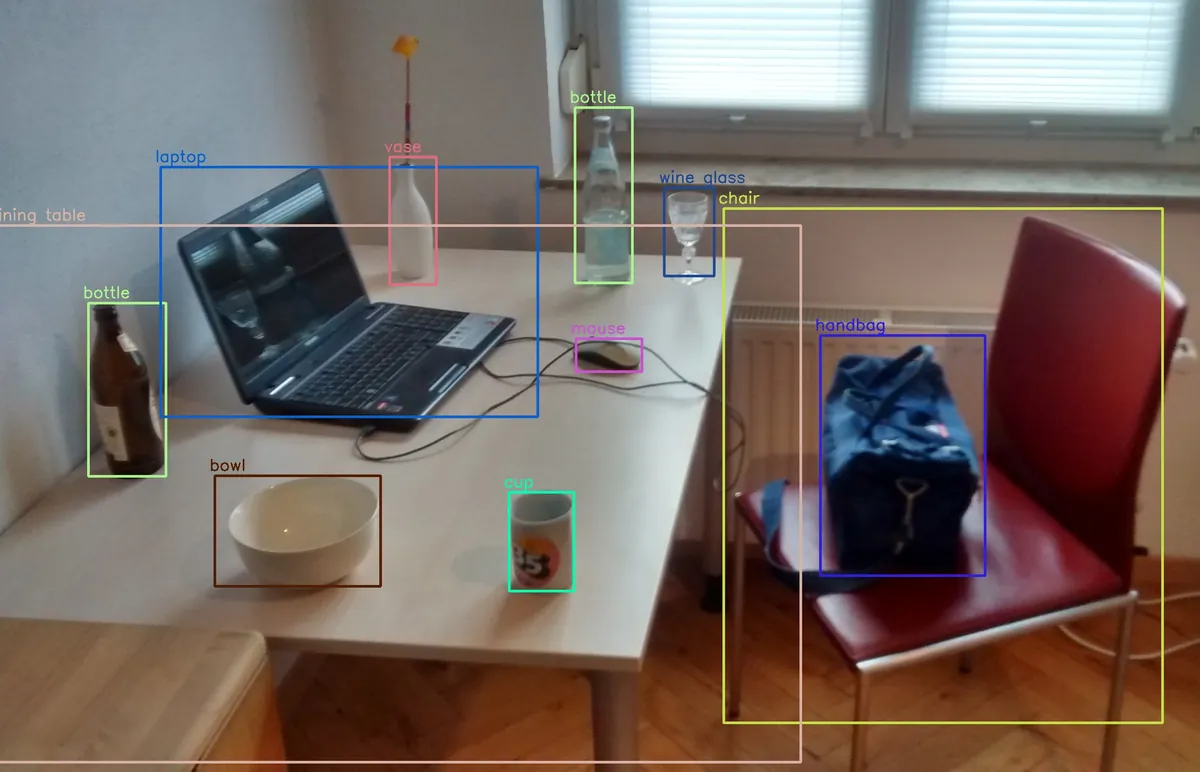
Find people, products, bags, carts and other relevant objects in each camera view.
Object Detection

AAC Guardian is a coming-soon AI layer for AnyAiCam, designed for retail loss prevention. It is being built to spot potentially suspicious activity, follow the person and event across your cameras, organize the evidence and notify your staff so a person can review it and decide what happens next.
“Traditional CCTV records the incident. AAC Guardian helps recognize the developing event while it is happening.”
AAC Guardian is not available yet. This page explains what AAC Guardian is being designed to do. It has not been released, and capabilities, compatible cameras, hardware, pricing and availability will be announced when it is ready. Example images on this page come from public sources and illustrate each technology in general. They are not AnyAiCam results.
Most retail cameras do their job well: they record. But the recording is usually watched after the loss is discovered, one camera at a time. AAC Guardian is designed to work while the event is still unfolding.
| Traditional CCTV | AAC Guardian (coming soon) | |
|---|---|---|
| When it helps | After the loss is noticed | While activity is developing |
| What it sees | Pixels on separate screens | People, objects, movement and interactions |
| Across cameras | Someone scrubs each camera by hand | Designed to link one event across cameras |
| Alerts | Motion alerts or none | Context-rich alerts for staff review |
| Evidence | Clips exported manually | Clips, snapshots and timeline gathered into one incident |
| Decision | Staff | Staff. Guardian assists, people decide |
Each step builds on the one before it. No single detection triggers an alert on its own. Guardian is designed to combine many signals over time and then hand the decision to a person.
Find people, products, bags, carts and other relevant objects in each camera view.
Follow each person and object over time, and across cameras, as they move through the store.
Interpret body movement, interactions with merchandise, actions and where they happen.
Connect related moments into one event and weigh how strongly they point to a potential concern.
Notify the right staff with the reasons, the cameras involved and short evidence clips.
A person reviews the evidence and decides what, if anything, should happen next.
AAC Guardian brings together well-established computer-vision techniques. The examples below show what each technique looks like in general. They come from public, openly licensed sources, are not AnyAiCam output, and Guardian’s own views will look different.
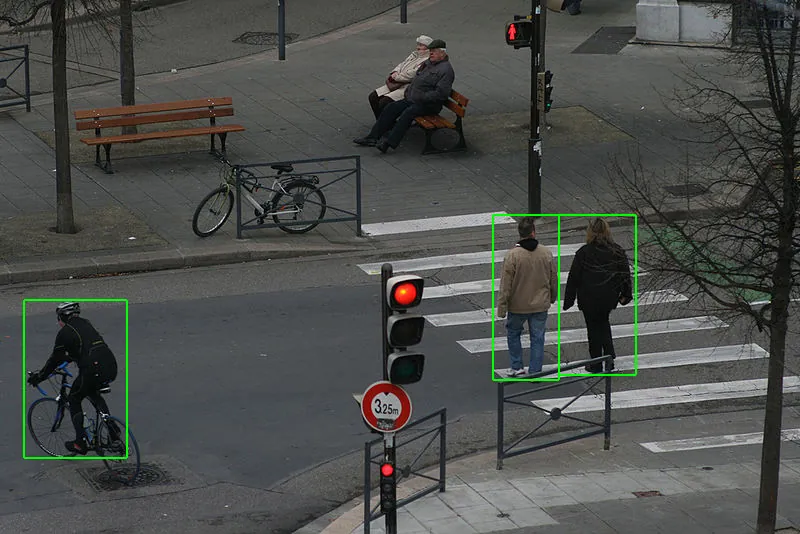
The foundation of Guardian. An object-detection model draws a box around each person, product, bag, cart or vehicle it finds in a frame and labels it. Everything later in the workflow starts from these detections.
In a store, that means knowing where shoppers are, which items or bags are present, and where they are in the camera view, frame after frame.
Example image: pedestrian detection. Derivative work by Indif from a photo by ll0zz, CC BY-SA 2.0, via Wikimedia Commons, re-encoded for web.
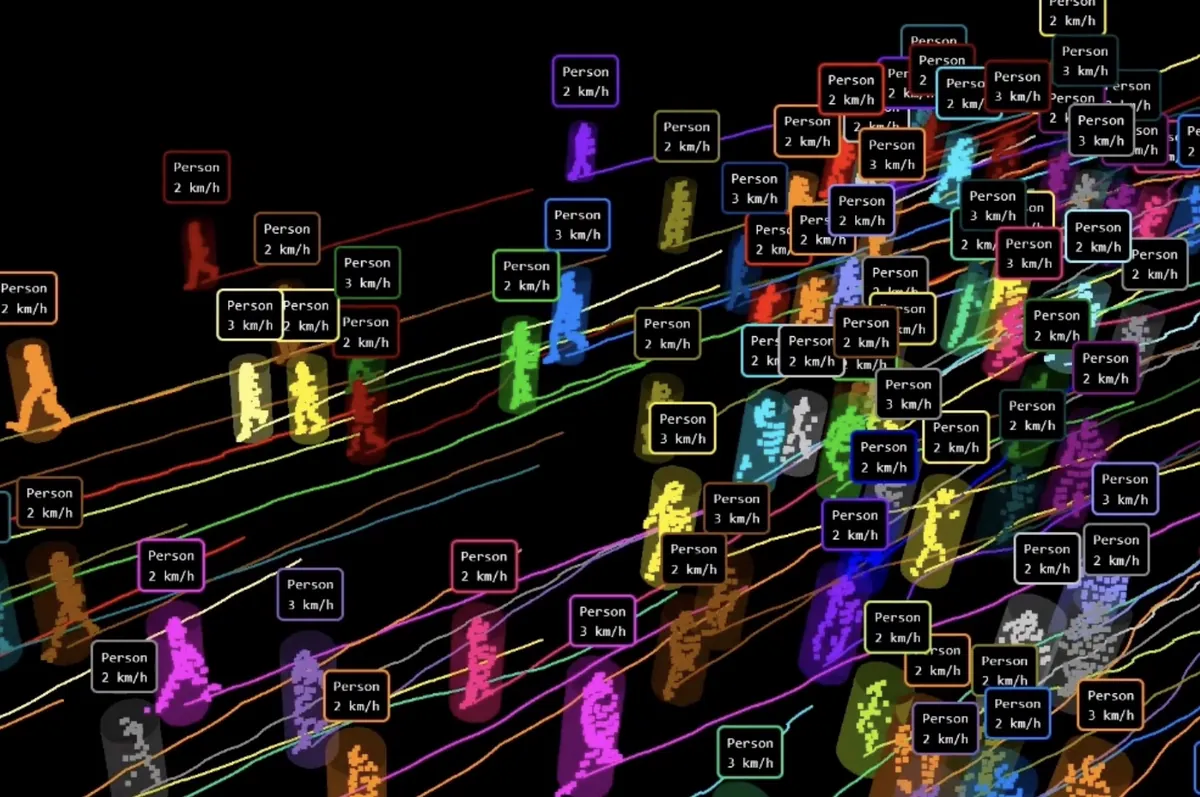
MOT gives every detected person or object a consistent track as it moves, so “a person” in one frame becomes “the same person” across seconds and minutes, even in a crowd.
Example image: people tracking (LiDAR-based visualization). Saxotango, CC BY-SA 4.0, via Wikimedia Commons, resized.
Person Re-Identification (Re-ID) recognizes when a person seen on one camera is the same person who appears on another, usually from overall appearance such as clothing and build. Cross-Camera Tracking uses that match to keep one continuous story as the person moves from aisle to checkout to exit.
Illustration created by AnyAiCam to explain the concept. Not a product screenshot.
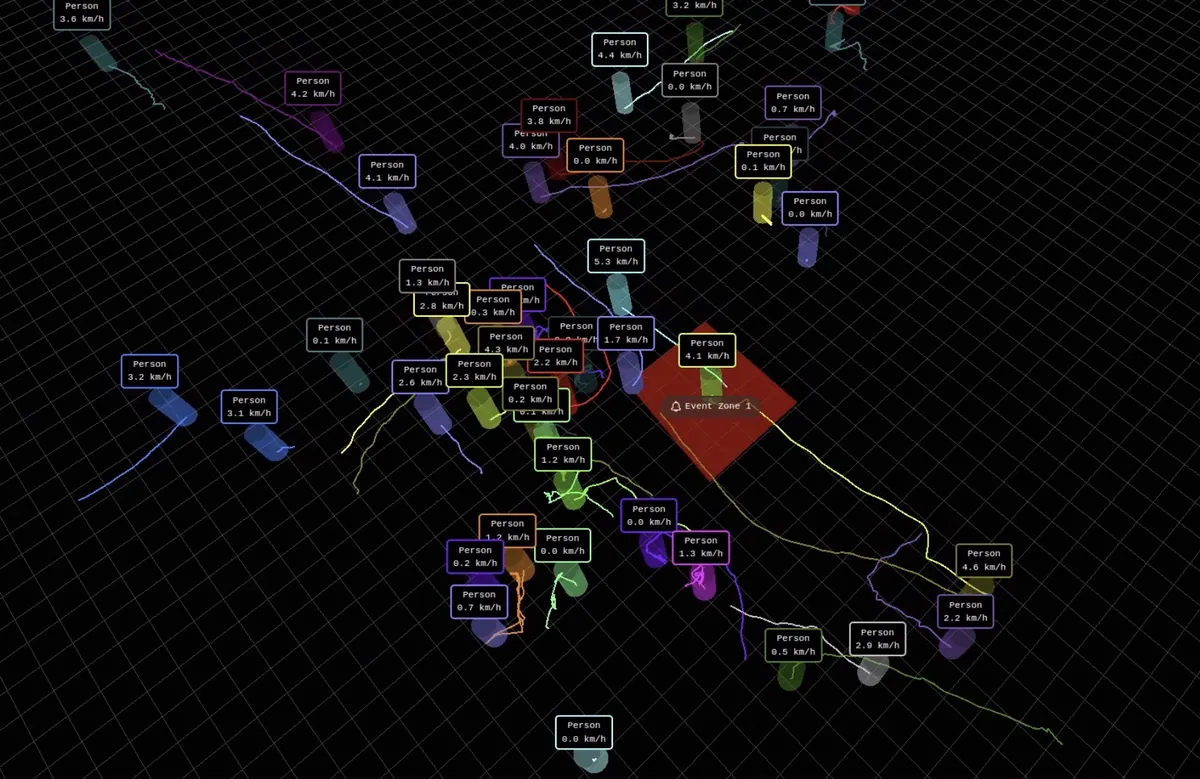
Trajectory Analysis studies the path a person takes: where they went, how fast, where they lingered and whether they doubled back. Combined with zones, a path that skips the checkout on the way to an exit can become one meaningful signal.
Example image: people trajectories and an event zone (LiDAR-based visualization). Saxotango, CC BY-SA 4.0, via Wikimedia Commons, cropped and resized.
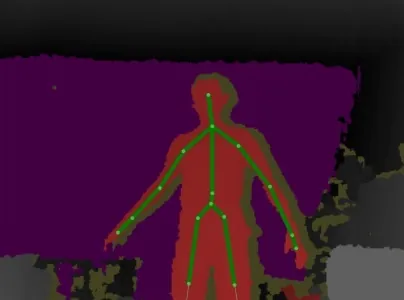
Pose Estimation finds body keypoints such as head, shoulders, elbows, wrists, hips and knees, and connects them into a skeleton. Tracking that skeleton over time shows how someone is moving: reaching, bending, turning away or moving a hand toward a bag or pocket.
Example image: skeleton tracking on a depth view. Sang1938, CC BY-SA 3.0, via Wikimedia Commons, cropped to the depth panel and resized.
HOI describes what a person is doing with an object, as a relationship: person, picks up, product or product, placed in, bag. For retail, these interactions are often more meaningful than any single detection.
Illustration created by AnyAiCam to explain the concept. Not a product screenshot.
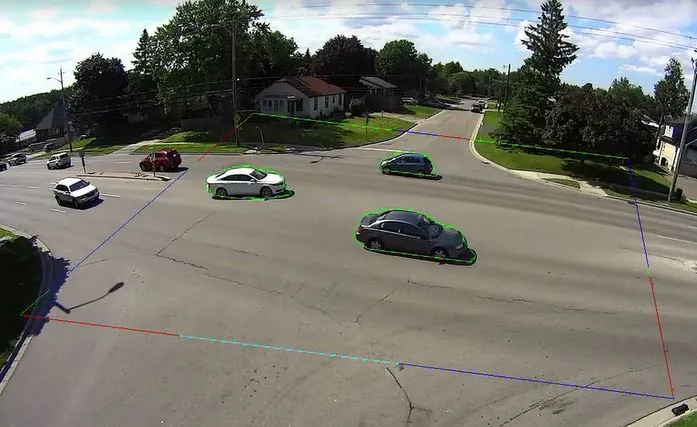
Zones, or Regions of Interest (ROI), are areas drawn on a camera view, such as a high-value aisle, a fitting-room entrance, the checkout lanes or an exit. Guardian is designed to give the same action a different meaning depending on where it happens.
Example image: zone-based counting on a CCTV view. Retail Sensing Ltd, CC BY-SA 4.0, via Wikimedia Commons, re-encoded for web.
Finds and labels people, products, bags, carts and other objects in each frame.
Keeps a consistent identity on every person and object as they move.
Recognizes the same person again when they reappear, based on overall appearance.
Links one person’s movement across several cameras into a single timeline.
Maps body keypoints to understand posture and movements like reaching or concealing.
Describes what a person does with an item: picks up, holds, puts back, places in a bag.
Classifies short actions such as walking, picking, handing over or crouching.
Finds when an action starts and ends within longer video, so the right seconds are flagged.
Looks at patterns over time, like repeated visits to one shelf or long lingering near an exit.
Gives activity context based on where it happens: aisle, checkout, fitting room or exit.
Studies the paths people take, including routes that bypass checkout toward an exit.
Connects related moments from different times and cameras into one event.
Weighs the combined signals to decide whether an event deserves a person’s attention, and how urgently.
An illustrative example of how AAC Guardian is designed to build an event from separate moments. Times, places and details are invented for explanation and are not real data.
Camera 3 detects a shopper with a backpack entering Aisle 7, a zone the store has marked as high-value.
The shopper is given a track (Track 14) that follows them through the camera view.
Multiple items are picked up from the shelf in a short time.
Body movement and hand position are consistent with an item possibly being placed into the backpack. This is a possible signal, not a conclusion.
Track 14 is matched on Camera 1 near the front exit, and the route bypasses the checkout lanes.
The separate moments are linked into one event. Taken together, they raise the event’s risk level to Elevated.
On-duty staff receive a Guardian review request with the reasons, the cameras involved and short clips.
A staff member reviews the evidence and follows the store’s own policy. They may also find there is nothing to act on. Guardian records the review outcome with the incident.
A Guardian alert is designed to tell staff why they are being asked to look, where it is happening and what evidence exists, so the review takes seconds rather than a search through hours of video.
Track 14 · 3 cameras · started 2:14:03 PM
Staff review required. Guardian does not decide what happened.
Instead of scattered clips on separate cameras, AAC Guardian is designed to gather everything about an event into one incident record that can be reviewed, annotated and kept according to your retention settings.
Each moment from detection to exit, in order, with the camera and time for every step.
Short clips around each key moment, and snapshots of the most relevant frames, linked from every camera involved.
The signals that contributed to the event and its risk level, written so a reviewer can check them against the video.
Who reviewed it, when, what they decided and any notes. Dismissed events are recorded too.
Look up incidents by date, camera, zone or outcome, and spot repeated patterns over time.
Package an incident’s clips and timeline for authorized internal or legal use, under your store’s policies.
AAC Guardian is designed to run its analysis on the AnyAiCam appliance in your store, so video does not have to be streamed continuously to the cloud for analysis. That keeps response fast, reduces bandwidth and keeps raw video on premises by default. Hardware requirements will be published at release.
Existing IP cameras stream to the AnyAiCam appliance over your local network.
Detects, tracks, understands and correlates locally, alongside normal AnyAiCam VMS recording.
Review requests reach authorized staff in the AnyAiCam app with the evidence attached.
Optional AnyAiCam cloud features, such as remote access and event media, follow your account settings.
AAC Guardian is being designed as an intelligence layer for AnyAiCam, not a camera replacement. It works with the compatible IP cameras that AnyAiCam VMS supports, so the cameras you already own can do more. Which cameras are supported for Guardian will be confirmed at release.
Guardian is designed to analyze the video from cameras already connected to AnyAiCam.
Use the AnyAiCam Camera Readiness check to see whether your cameras work with AnyAiCam VMS today.
Coverage of aisles, checkouts and exits from clear angles gives any analytics system better information.
AAC Guardian identifies potential suspicious activity and organizes the evidence. It does not determine that anyone committed theft. Every alert is a request for a person to review, and every decision and action stays with your staff and your store’s policies.
Example images on this page are third-party works under the licenses listed, used to illustrate each technology in general. They do not show AnyAiCam products or results, and their authors do not endorse AnyAiCam. Images were resized, cropped where noted and converted to WebP. Adapted CC BY-SA images are shared under the same license as the original.
AAC Guardian is coming soon. Tell us about your store and we will keep you updated as it develops.