AnyAiCam VMS
The foundation: live view, recordings, playback, events and alerts for your cameras, running on your AnyAiCam appliance. VMS overview →
AnyAiCam VMS records and manages your cameras on your own AnyAiCam appliance. The AAC features build on it: an assistant you can simply ask, a visitor call when someone comes to your door, and armed security with intrusion alarms. Everything runs on the same appliance and shows up in the same AnyAiCam app.
The dashboard shows your security mode, today’s activity and the health of every camera. The AAC features appear right alongside your cameras, alerts and recordings.
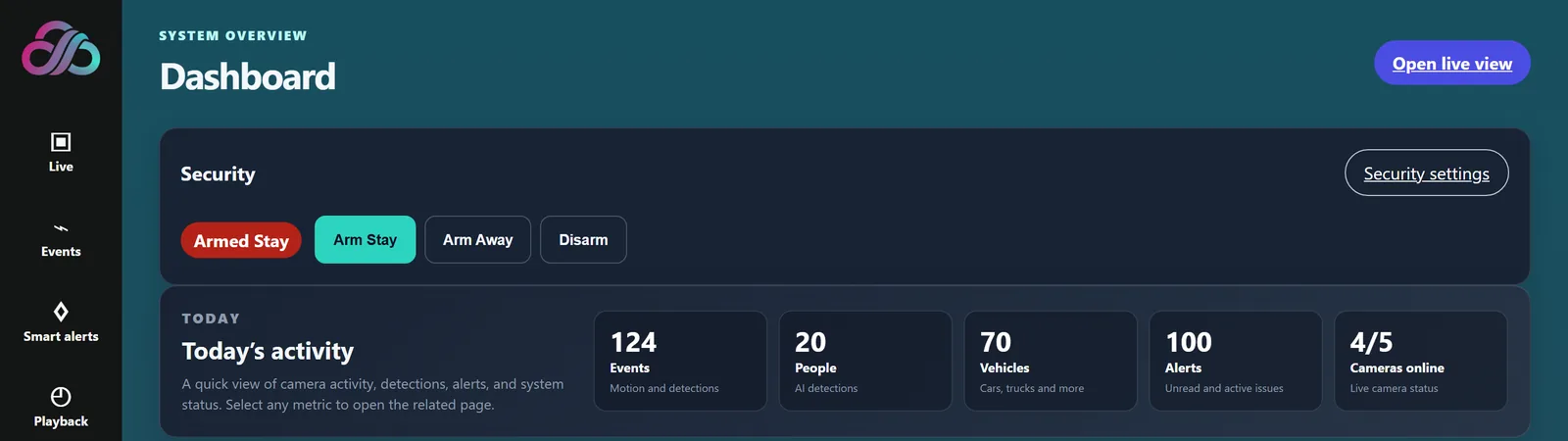
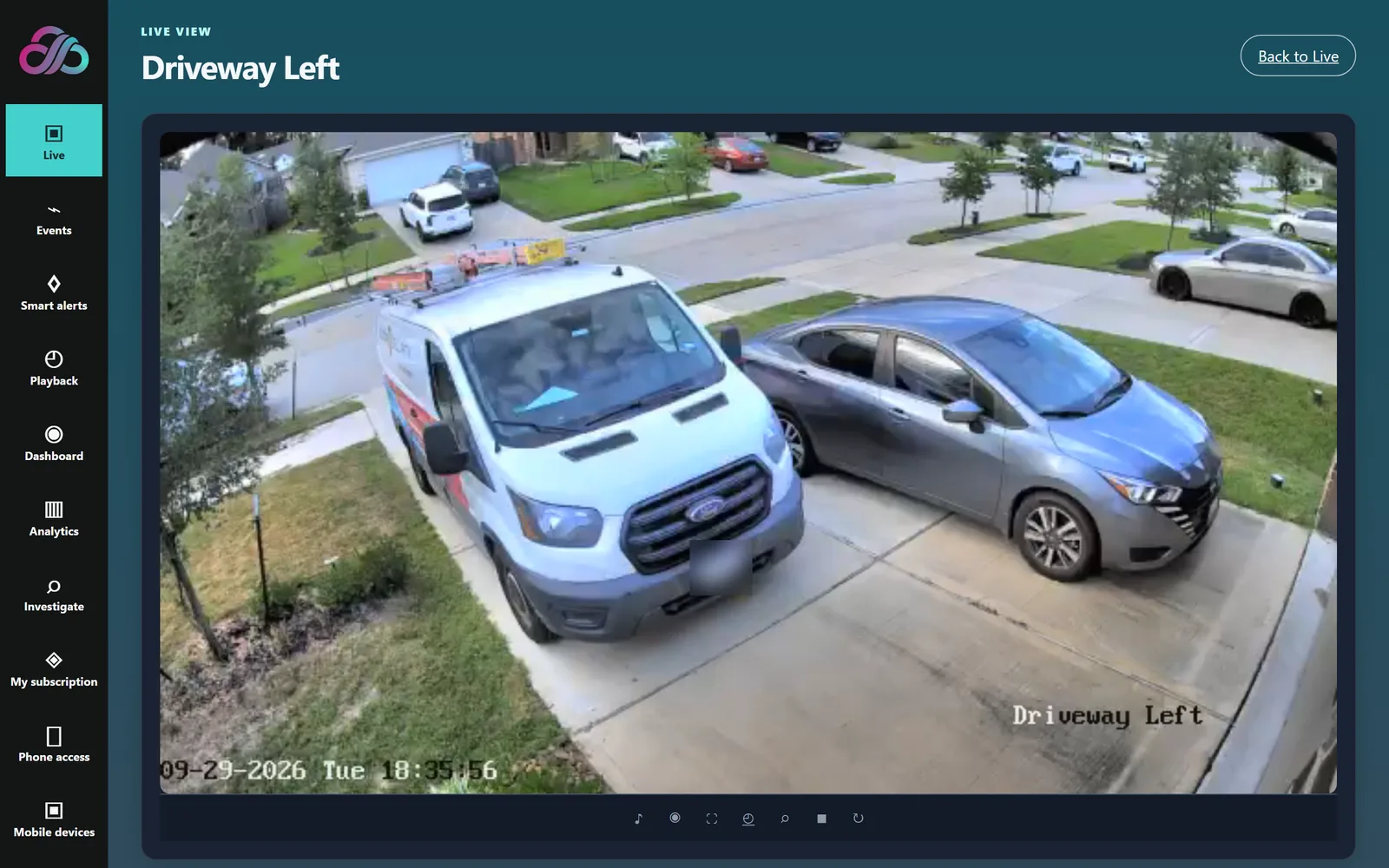
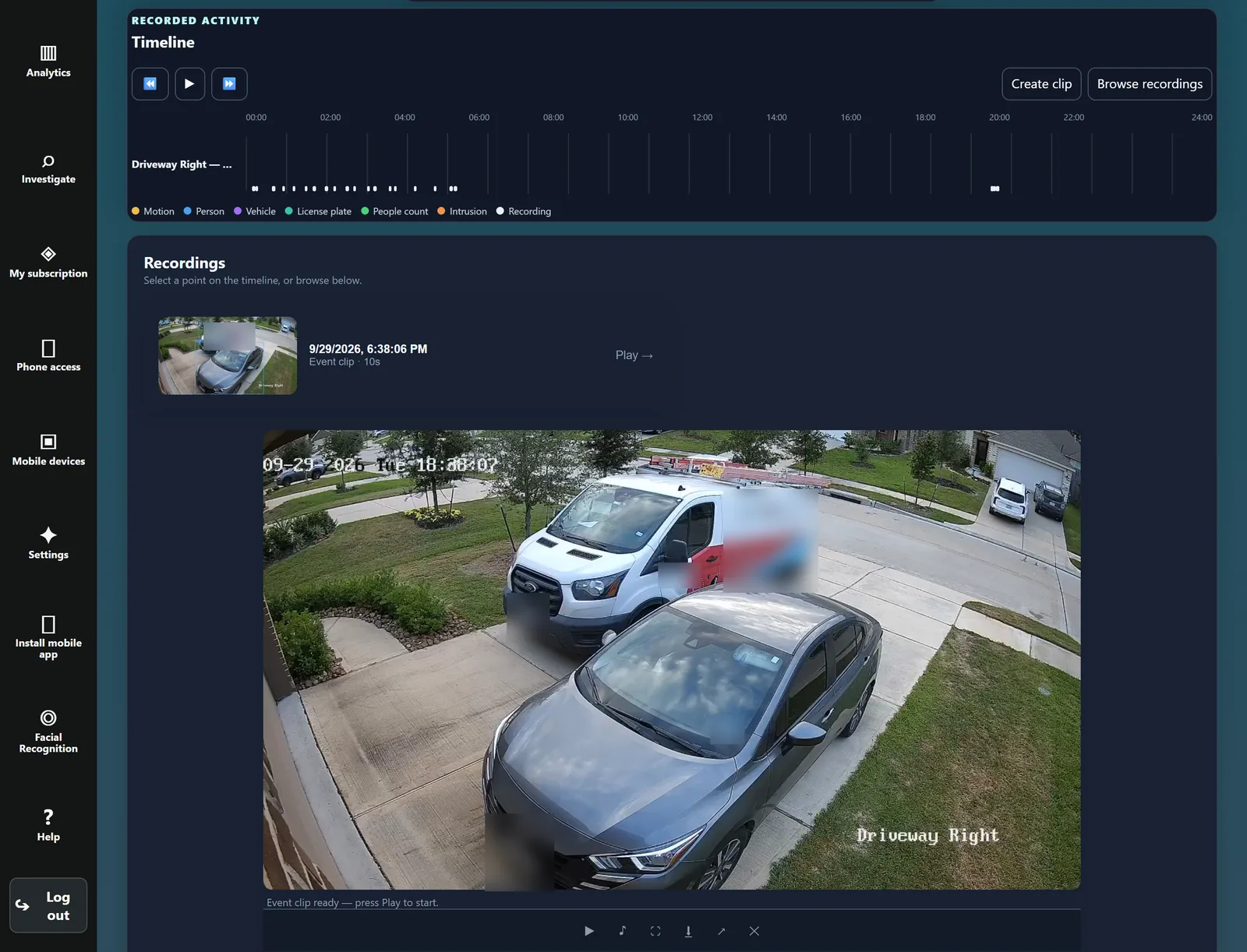
Real screens from the AnyAiCam app. Select a screenshot to see it full size.
Open any camera full size, with its controls right underneath, and switch between cameras from the Live page.
Go back through the day on a timeline that marks people, vehicles and motion. Pick a moment, or play any event clip right from the recordings list.
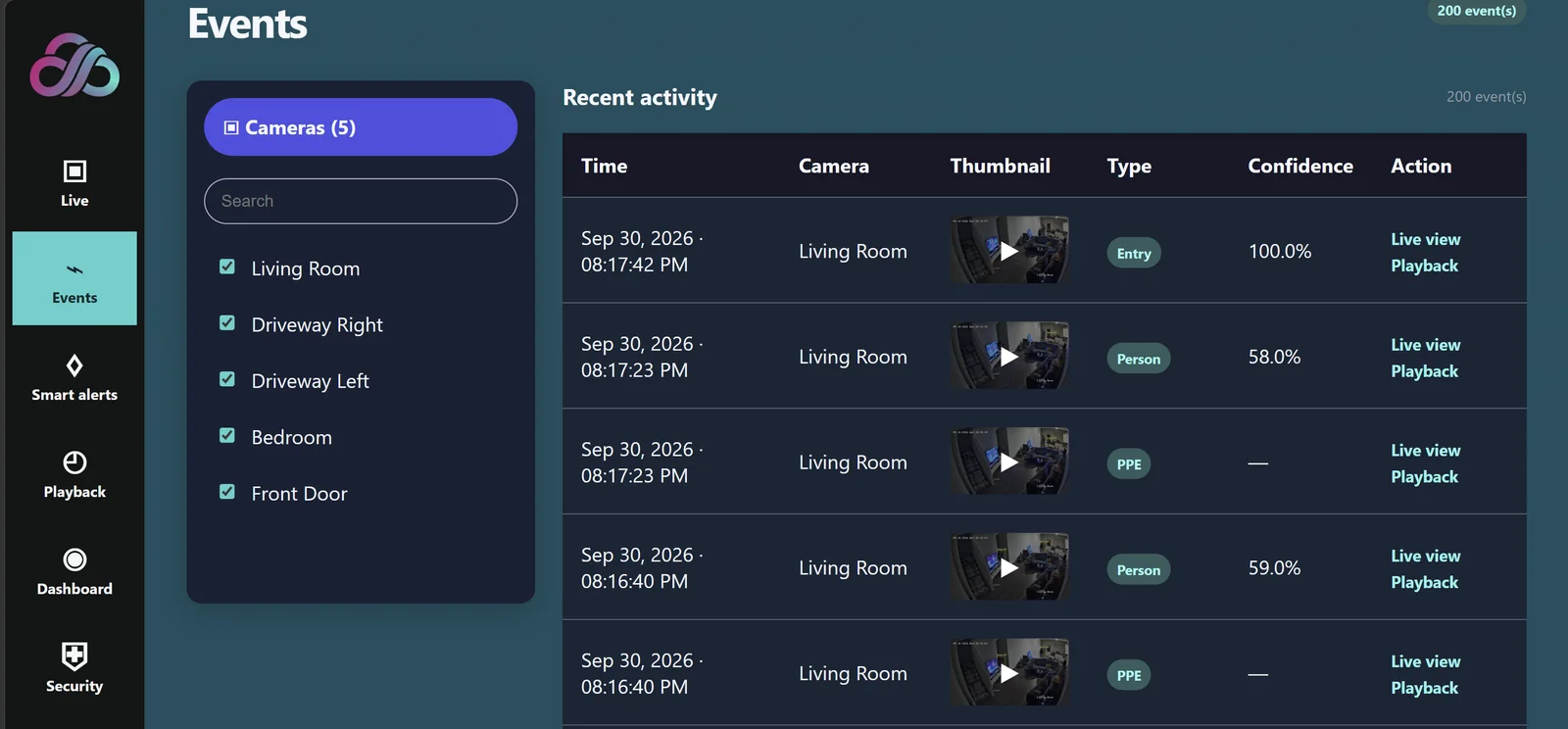
Every detection in one list: when it happened, which camera, a thumbnail, what was detected and how confident the AI is. Filter by camera and jump straight to live view or playback.
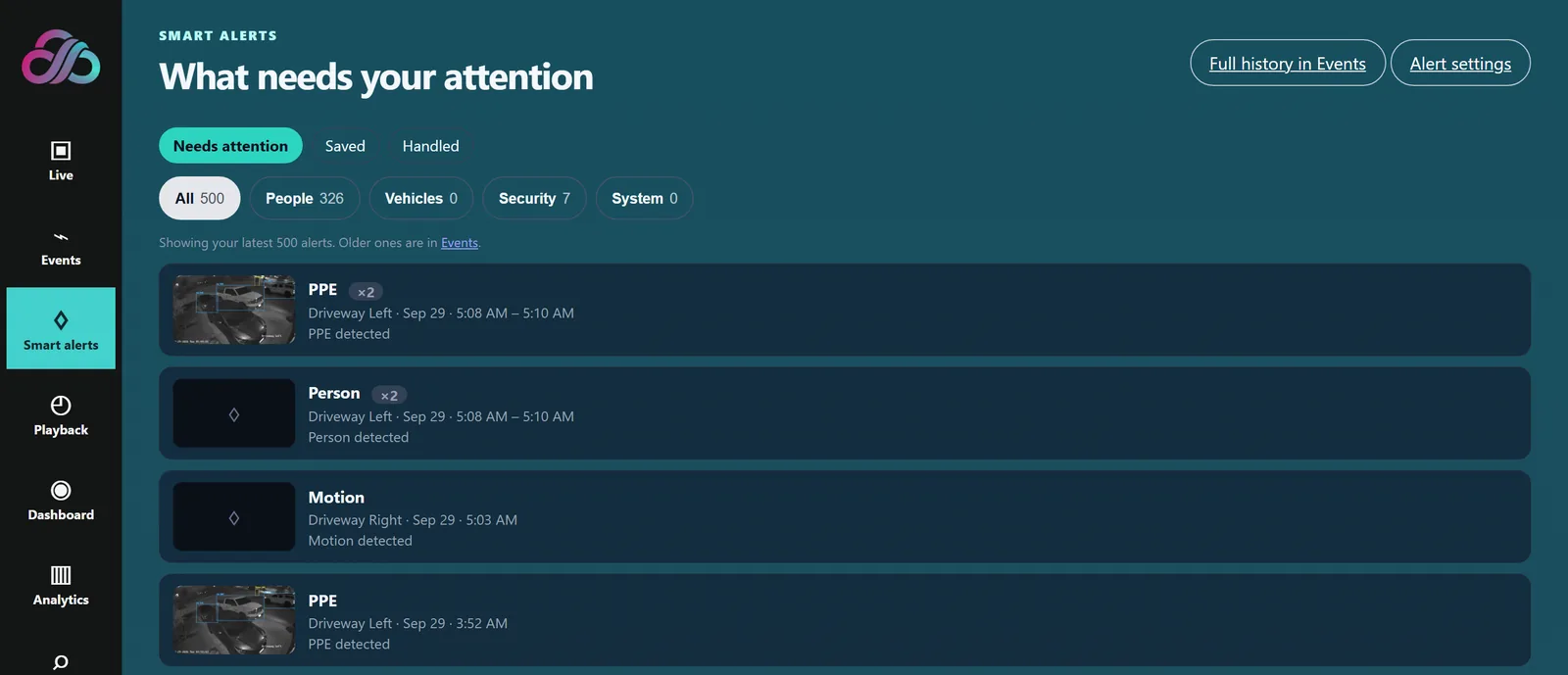
What needs your attention, in one inbox. Mark alerts as saved or handled, and filter by people, vehicles, security or system. Smart Motion filters out nuisance movement so the alerts that arrive matter.
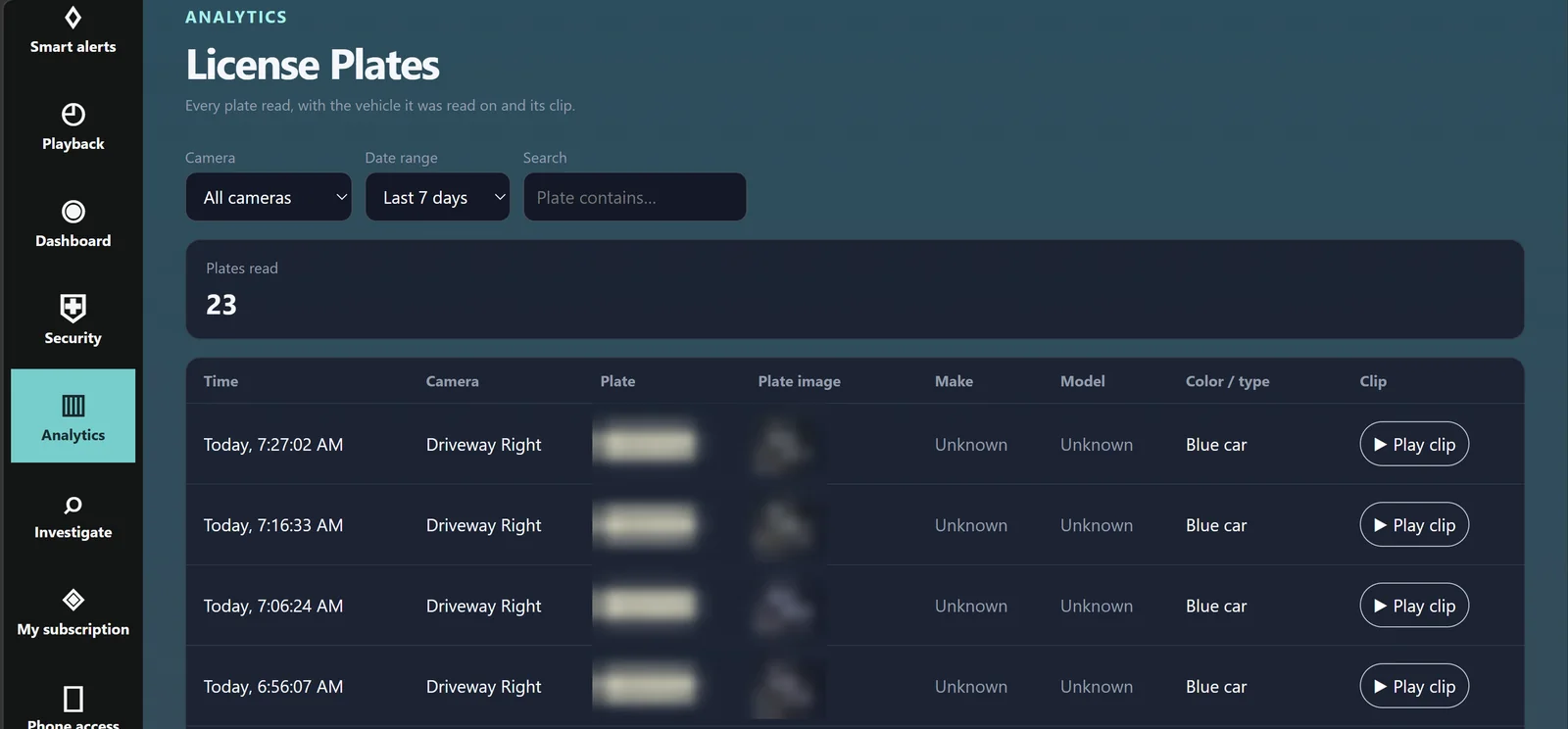
Every plate read, with the camera, time, plate image, vehicle color and type, and a clip you can play. Search for a plate across your cameras.
Set up for suitable camera placement at your site. Plates are blurred in this screenshot for privacy.
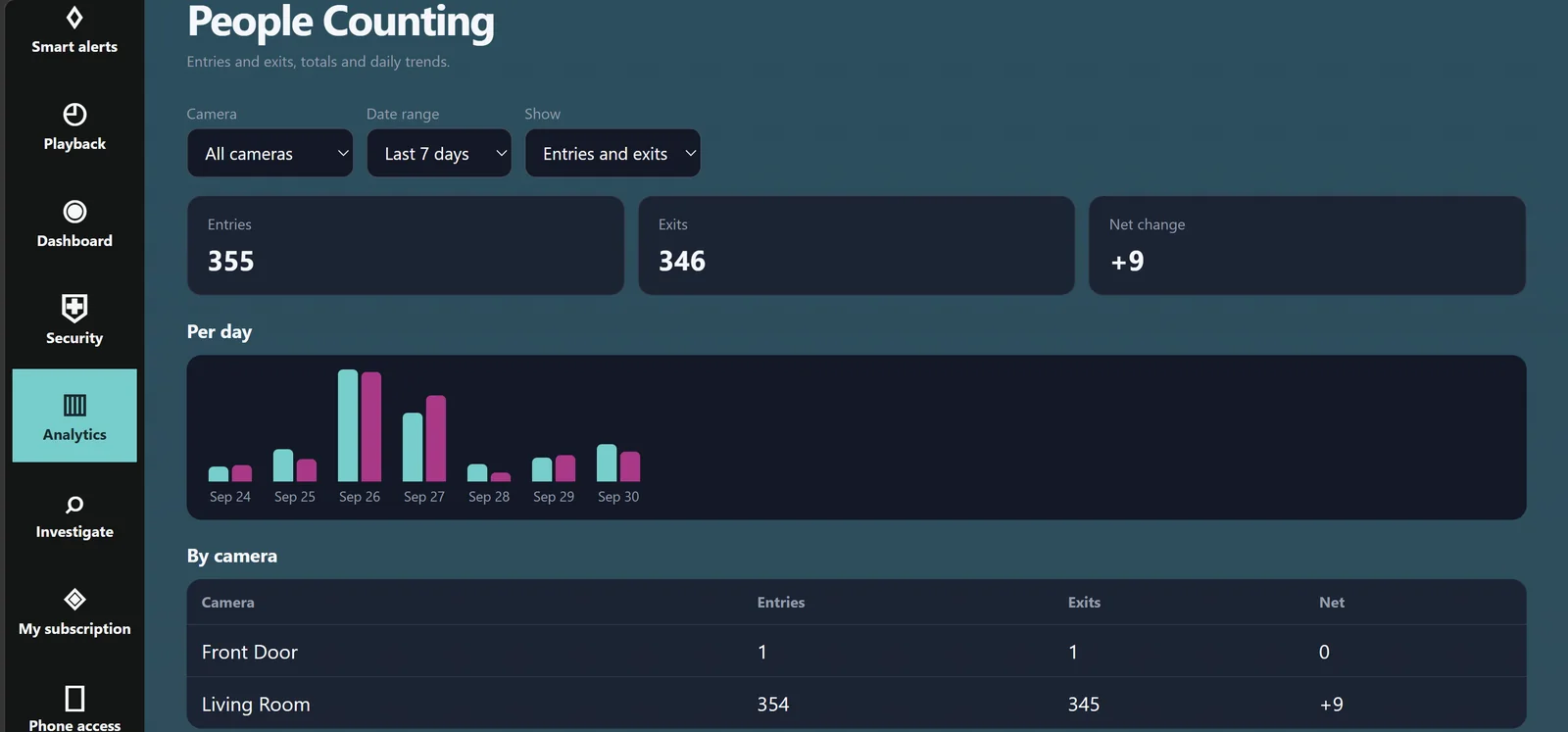
Entries, exits and net change across your cameras, with a per-day chart and a breakdown by camera.
For entrances and viewpoints suited to counting; AnyAiCam confirms the setup with you.
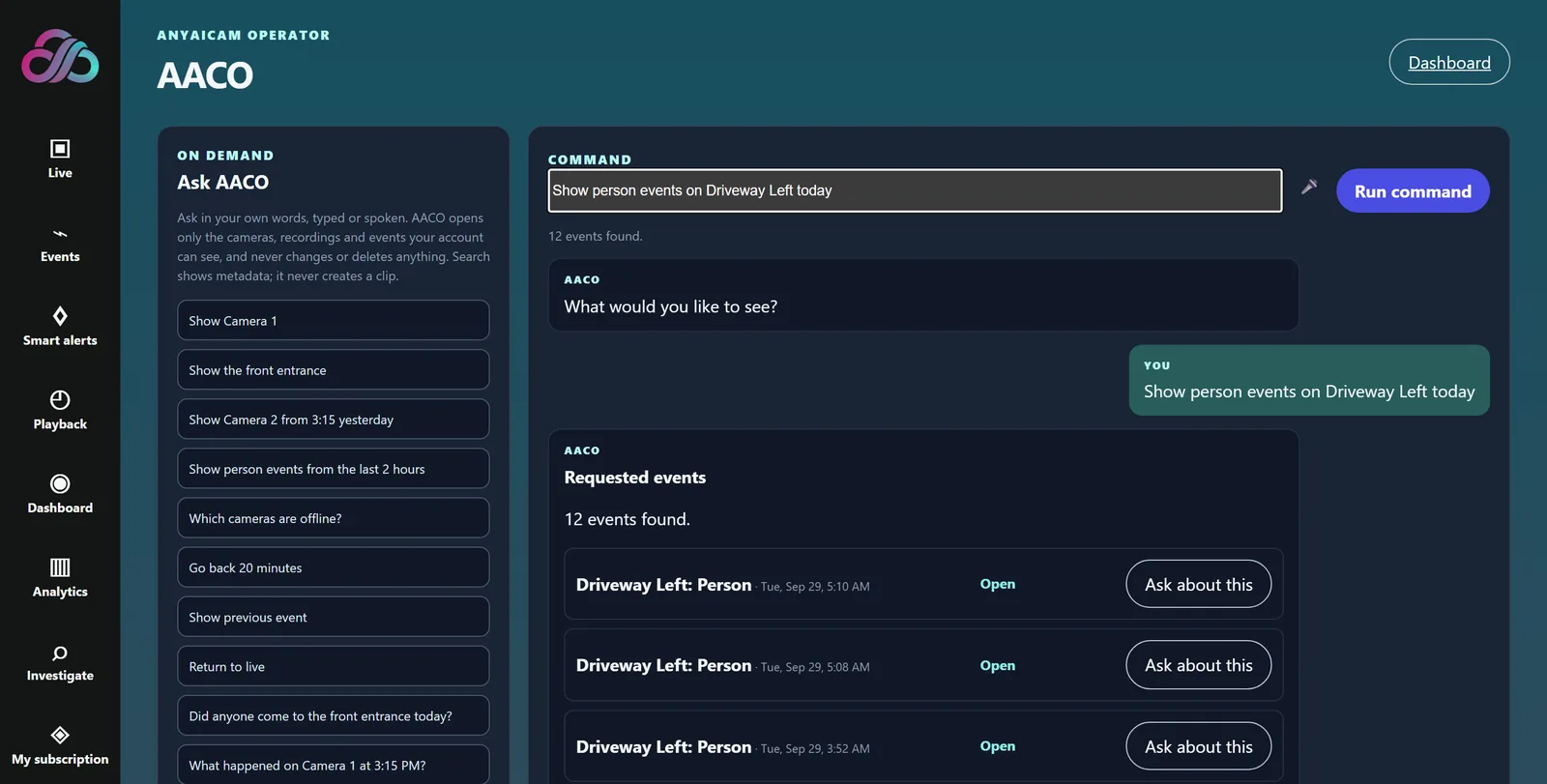
Ask in everyday words, such as “show person events on Driveway Left today”, and AACO finds the matching events and opens the right camera or recording.
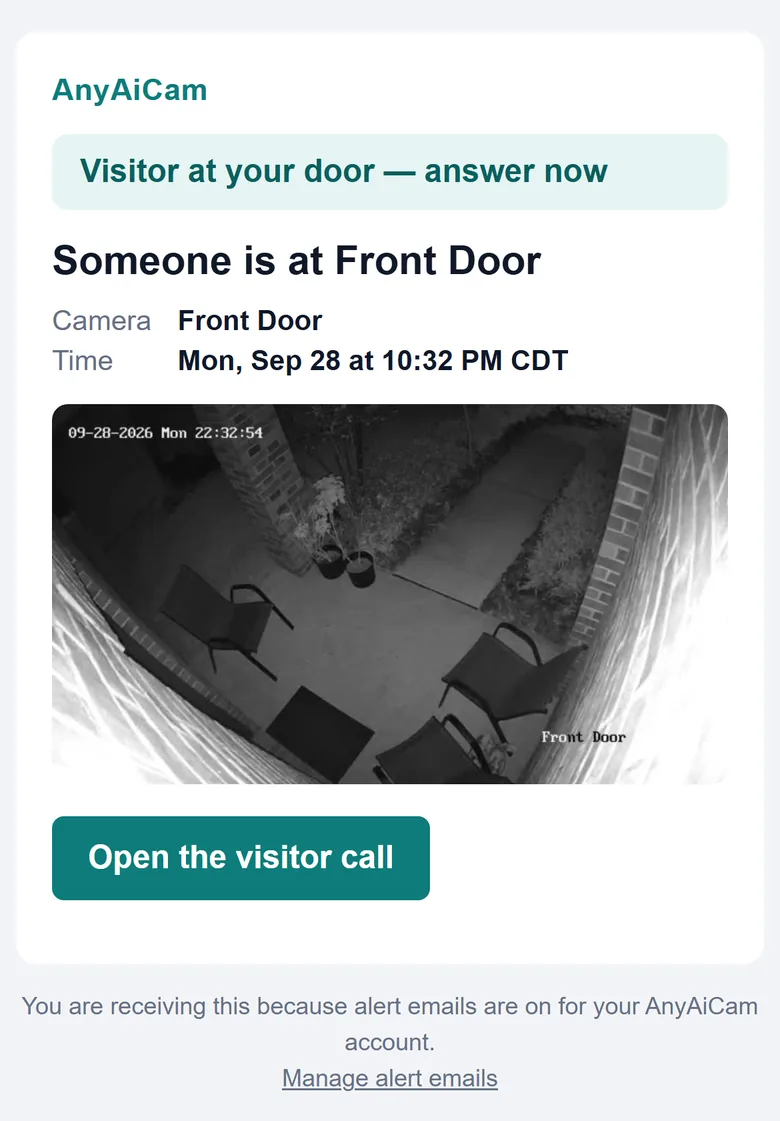
When someone comes to your front door, AnyAiCam lets you know right away, with a snapshot and a button to open the visitor call with live video.
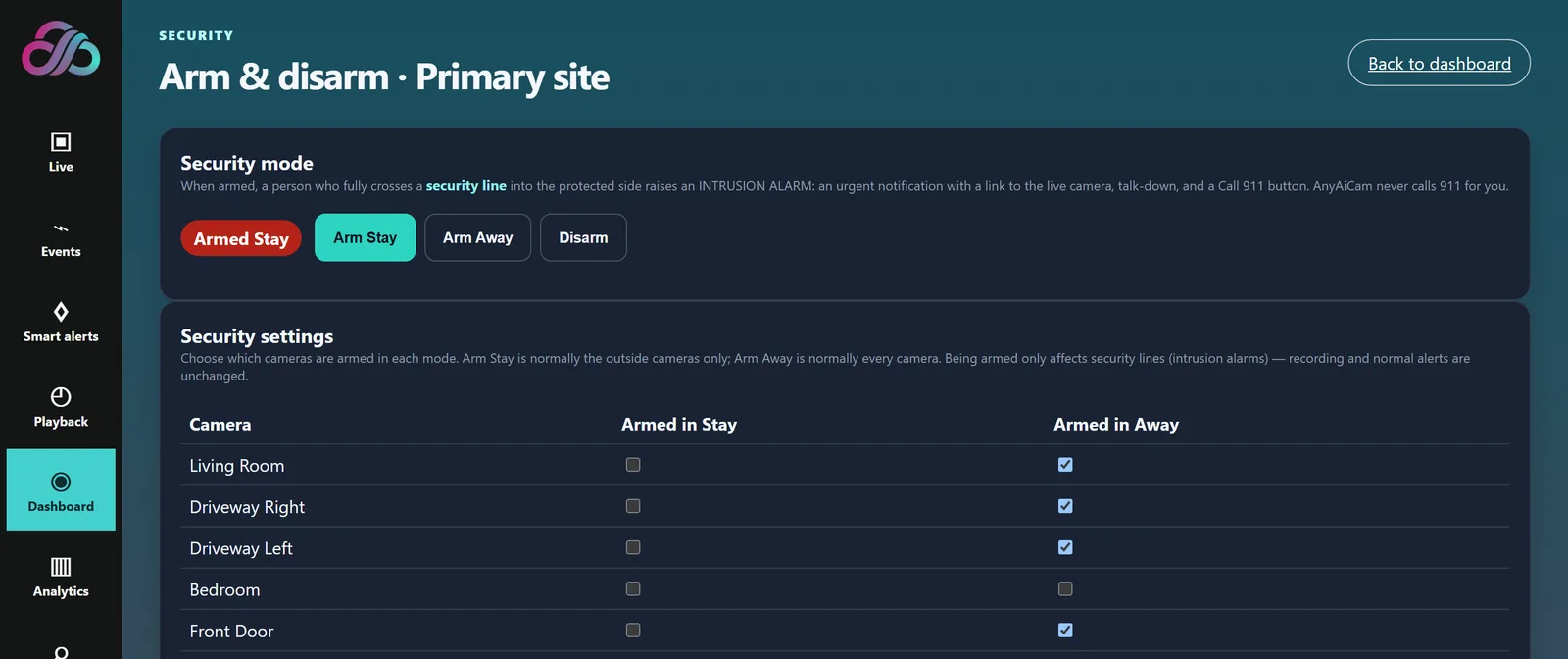
Arm your cameras like an alarm system: choose which cameras are armed in Stay and in Away, then arm or disarm in one tap.
AAC Face Access, the premium access module, has its own page: see Face Access →
Start with AnyAiCam VMS. Add the features you want; each one uses the cameras and appliance you already have.
The foundation: live view, recordings, playback, events and alerts for your cameras, running on your AnyAiCam appliance. VMS overview →
Ask in everyday words, like “show me the front door” or “any people in the driveway last night?”, and AACO opens the right camera, recording or events. Learn more →
When someone comes to your front door, AnyAiCam greets them, finds out why they are there and calls you with live video so you can answer. Learn more →
Arm your cameras like an alarm system. A person crossing a protected line sets off an urgent INTRUSION ALARM, kept apart from everyday alerts. Learn more →
Premium access module: recognize enrolled people at an entrance and unlock the right door through the Numato relay. Access-control platform integrations are coming soon. Learn more →
Retail loss-prevention intelligence: designed to detect, track and correlate potentially suspicious activity across your cameras, then alert staff for human review. Learn more →
Normal camera activity, such as a person walking up the driveway or a car in the street, arrives as a calm alert in Smart Alerts. An INTRUSION ALARM from Secure Edge is urgent, red and clearly labeled, so you always know which one needs you now.
“Person detected at Front Door · 7:32 PM”. A snapshot and a link to the video, following your alert settings and quiet hours.
“Someone is at Front Door — answer the call”. Opens the live call screen.
“INTRUSION ALARM at Back Yard”. Red, urgent, with Open live camera and a Call 911 button. Sent only while the system is armed.
Available with AnyAiCam VMS: part of the AnyAiCam app today. In final testing: built and being validated on real installations before general release. Coming soon: planned; details and availability will be announced. For pricing and availability in your area, contact us.
Choose cameras, an AnyAiCam appliance and the features you want. We will help you pick the right setup.