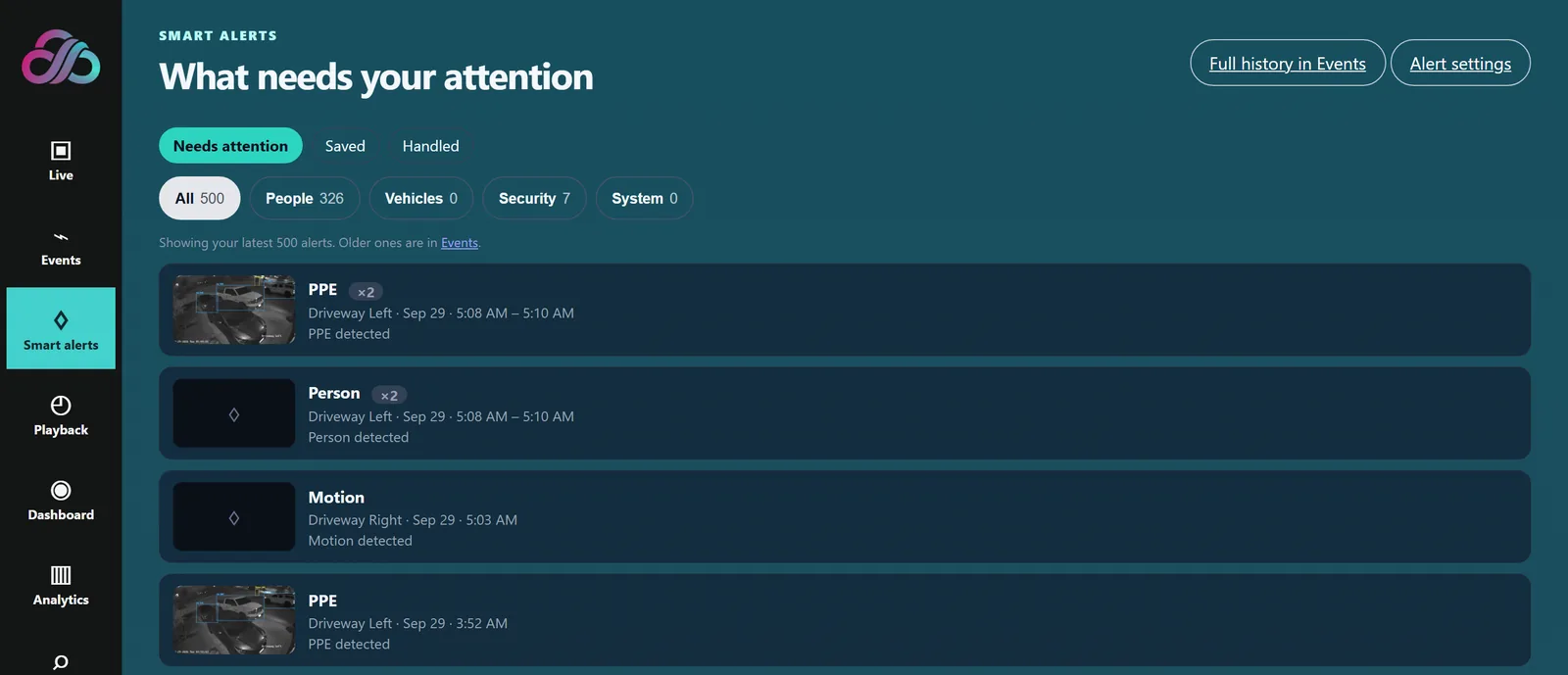
Smart Alerts
What needs your attention, in one inbox: save or handle alerts and filter by people, vehicles, security or system.
THE PRIMARY ANYAICAM VIDEO PLATFORM
Keep compatible IP cameras and operate through your own AnyAiCam appliance. View live video, review playback, investigate events and use licensed analytics—even when an internet interruption prevents cloud access.
AnyAiCam appliances from $949.99, or run AnyAiCam on your own Ubuntu 24.04 PC. Windows version coming soon.
INSIDE ANYAICAM VMS
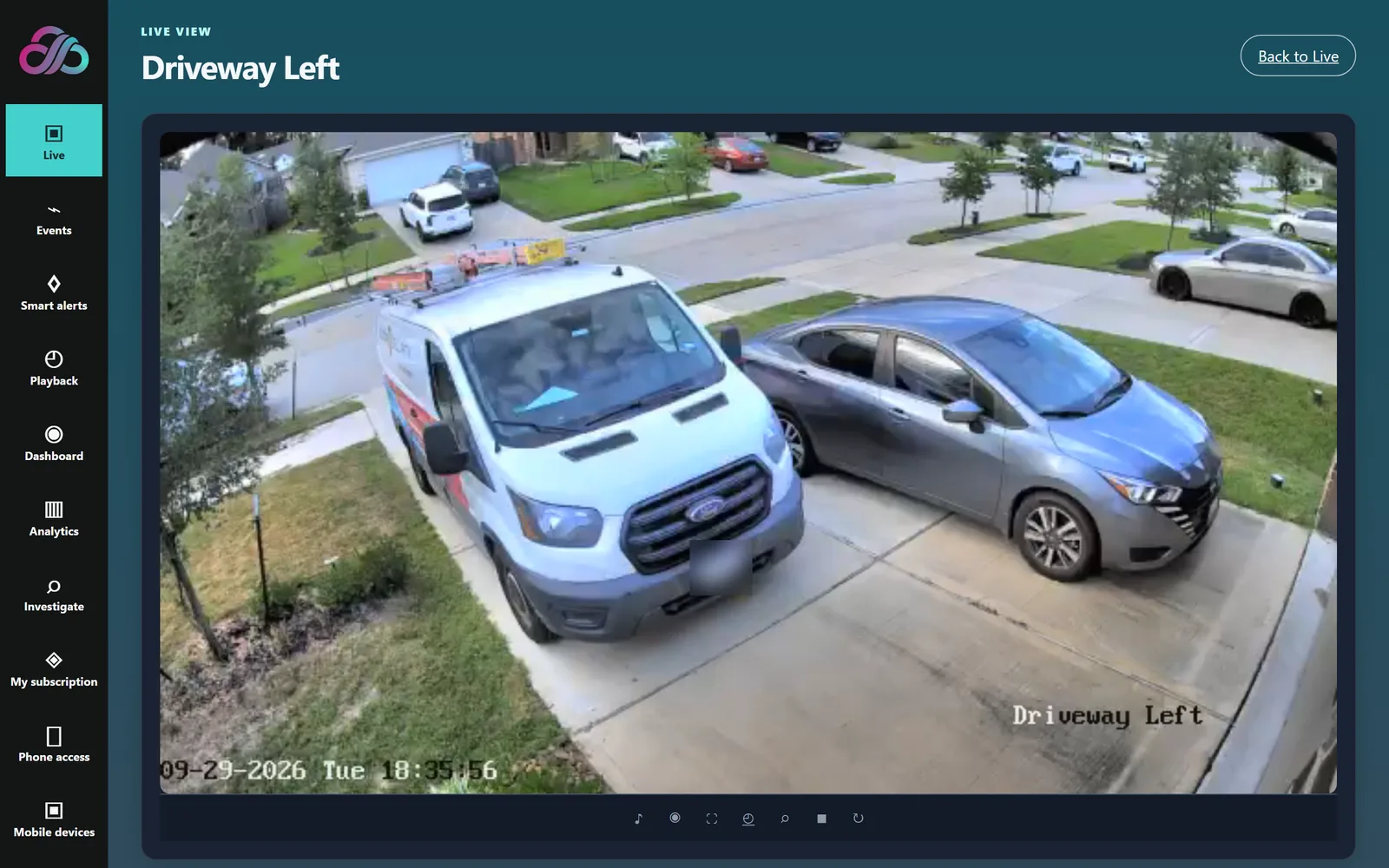
Real screens from the AnyAiCam app. Watch live, find what happened and get alerts that matter, all running on your own AnyAiCam appliance.
What needs your attention, in one inbox: save or handle alerts and filter by people, vehicles, security or system.
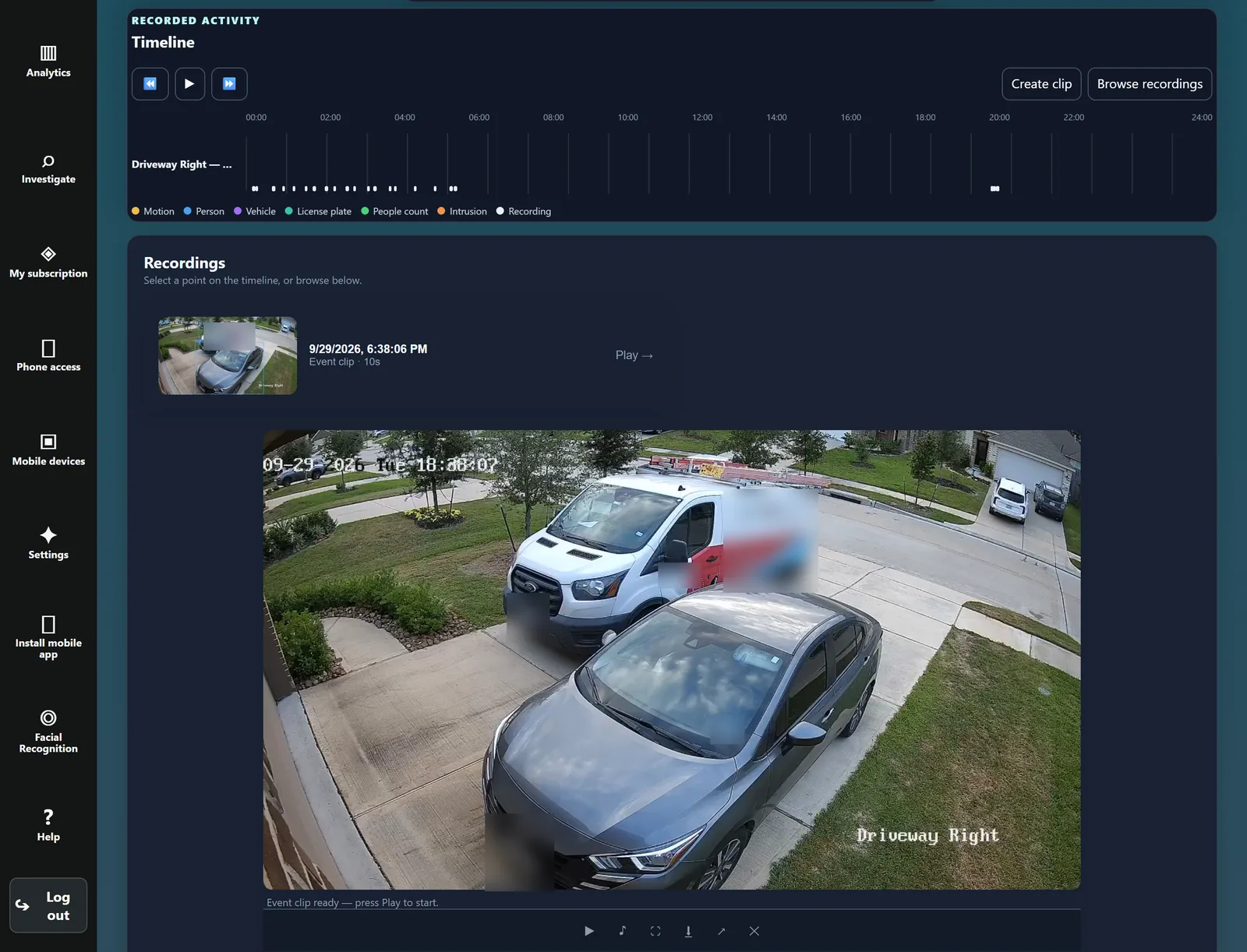
Go back through the day on a timeline that marks people, vehicles and motion, and play any event clip.
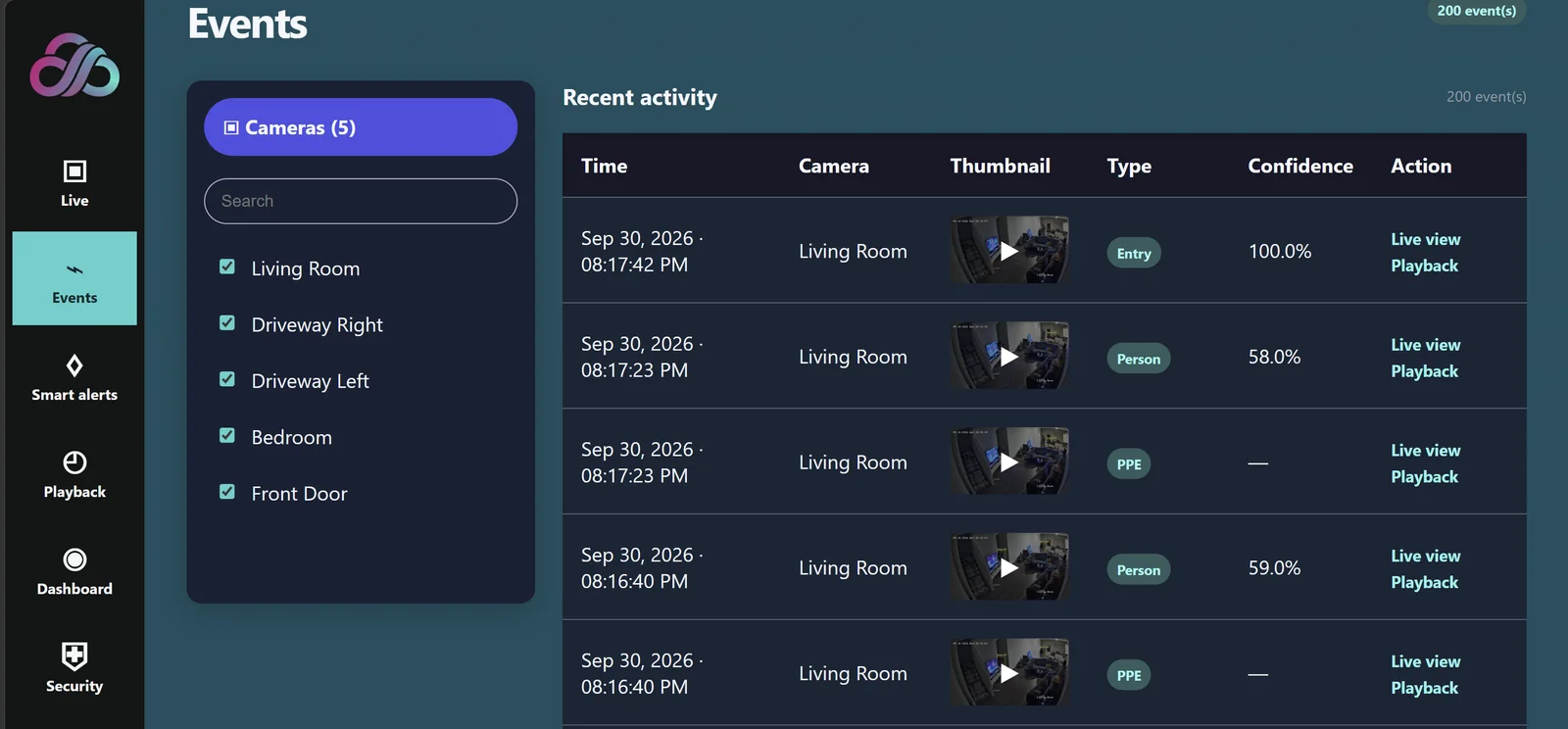
Every detection in one list, with a thumbnail, type and confidence, one tap from live view or playback.
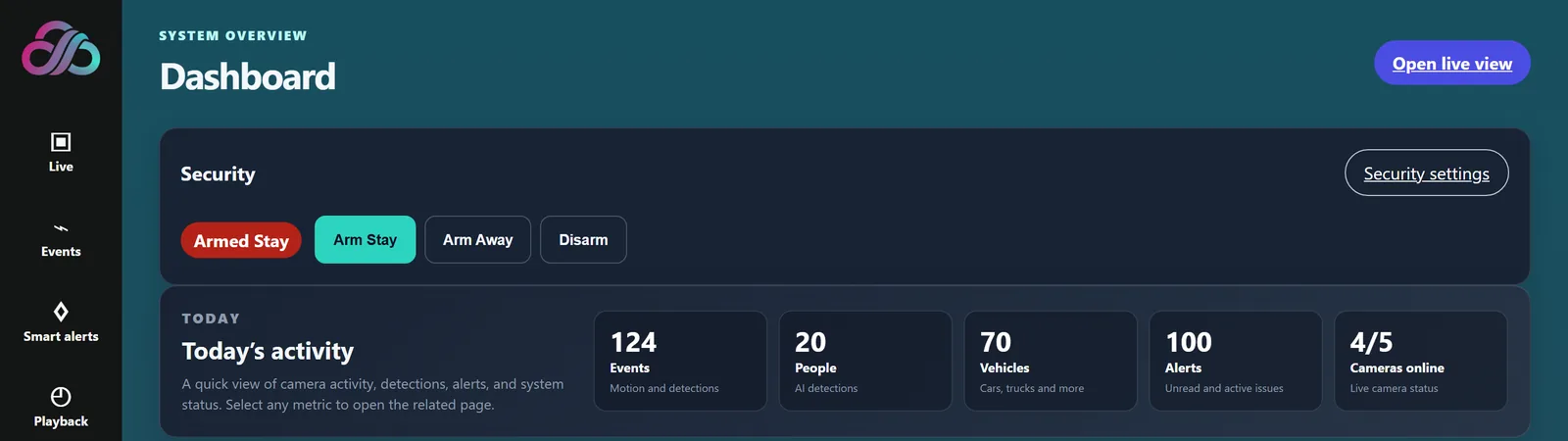
Your security mode, today’s events, people, vehicles and alerts, and how many cameras are online.
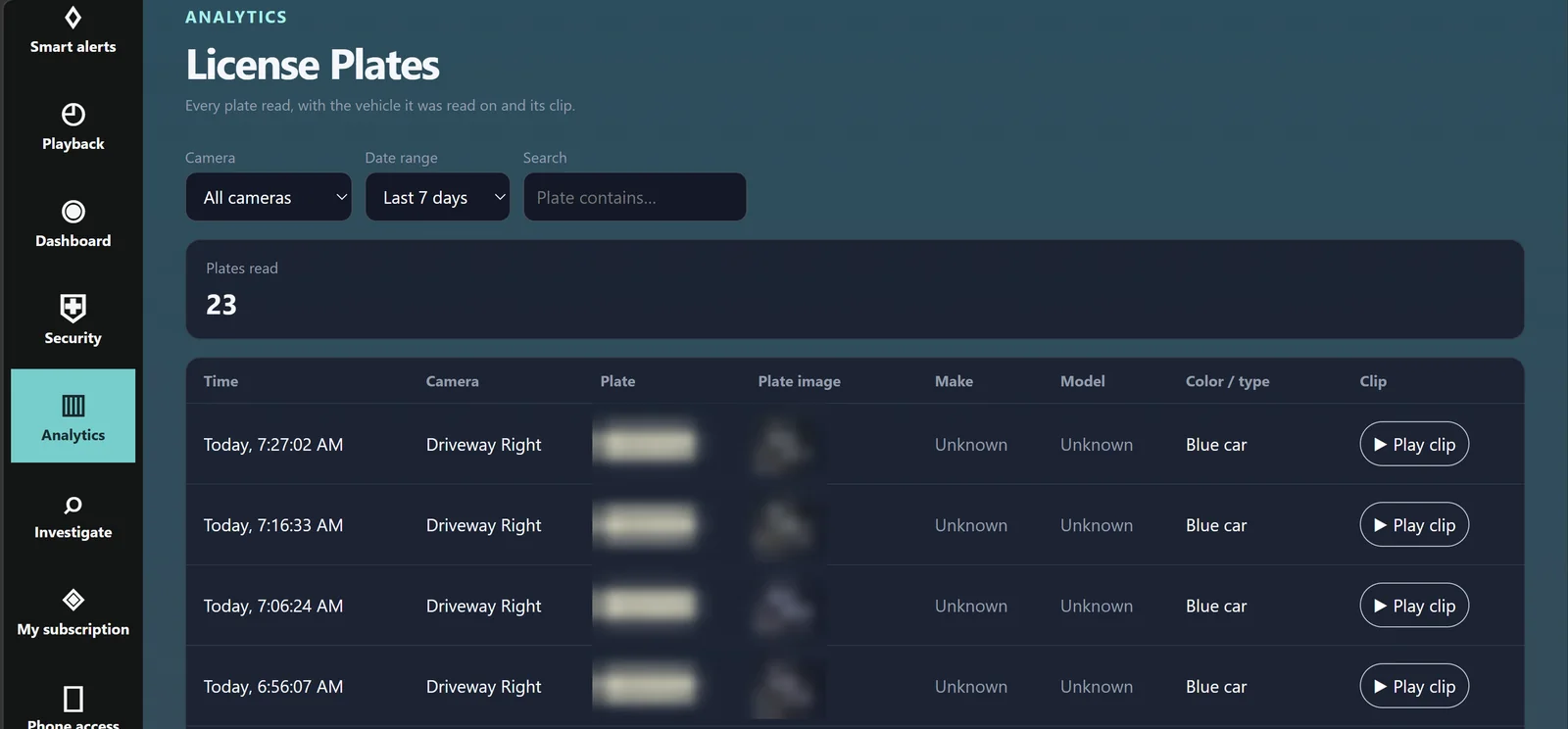
Analytics module: every plate read, with the camera, time, vehicle and its clip. (Plates blurred here for privacy.)
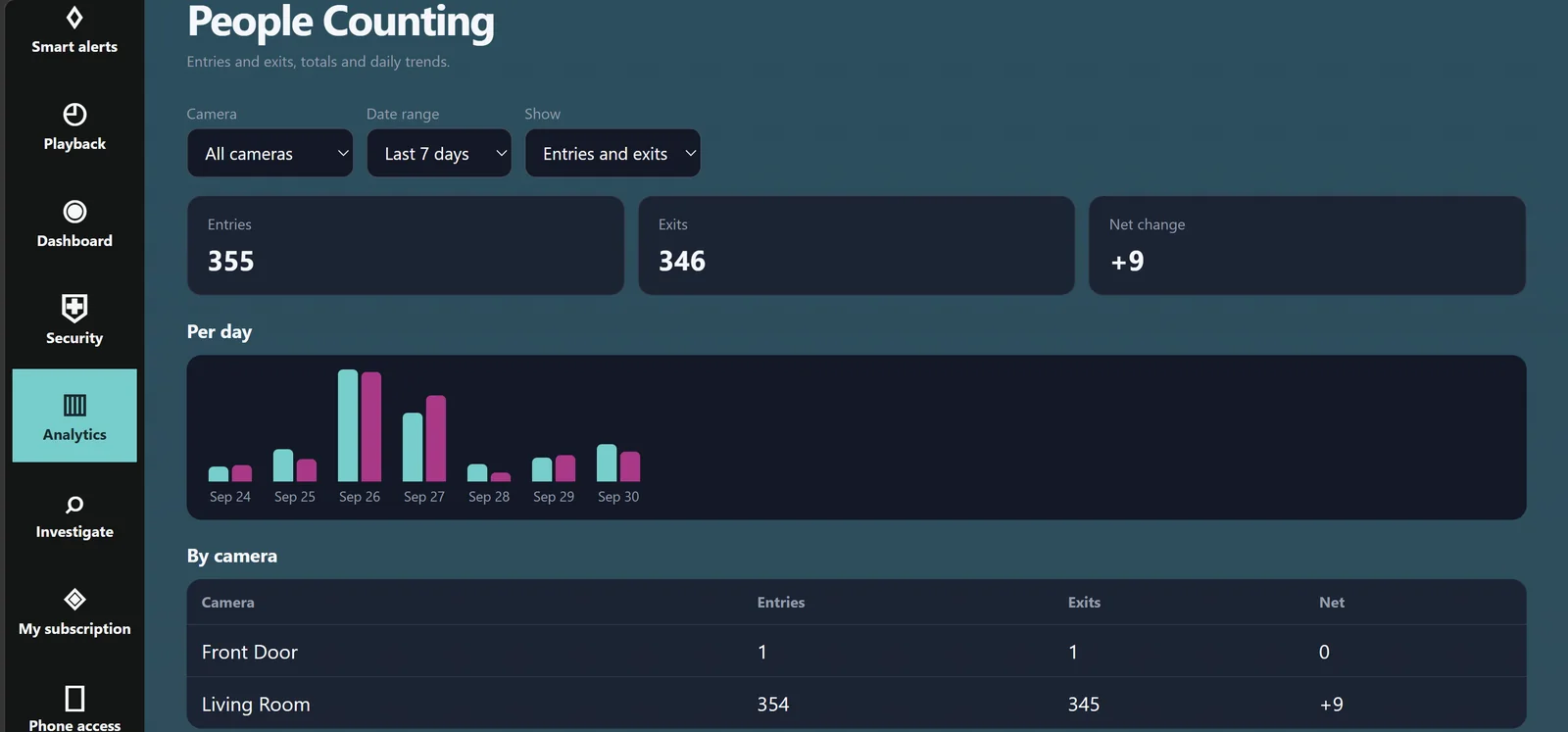
Analytics module: entries, exits and daily trends, with totals by camera.
ANYAICAM VMS EDGE APPLIANCES
For homes, start with the new AnyAiCam Residential VMS. For businesses, VMS-only customers should not pay for the dedicated facial-recognition appliance. Use the AnyAiCam Starter (MINISFORUM AI X1-255 · Ryzen 7 255) as the standard VMS appliance, choose the AnyAiCam Professional (MINISFORUM AI X1 · Ryzen AI 9 HX 470) when the site needs more compute headroom, and use the AnyAiCam Enterprise appliance for commercial AAC Face Access with larger face databases.
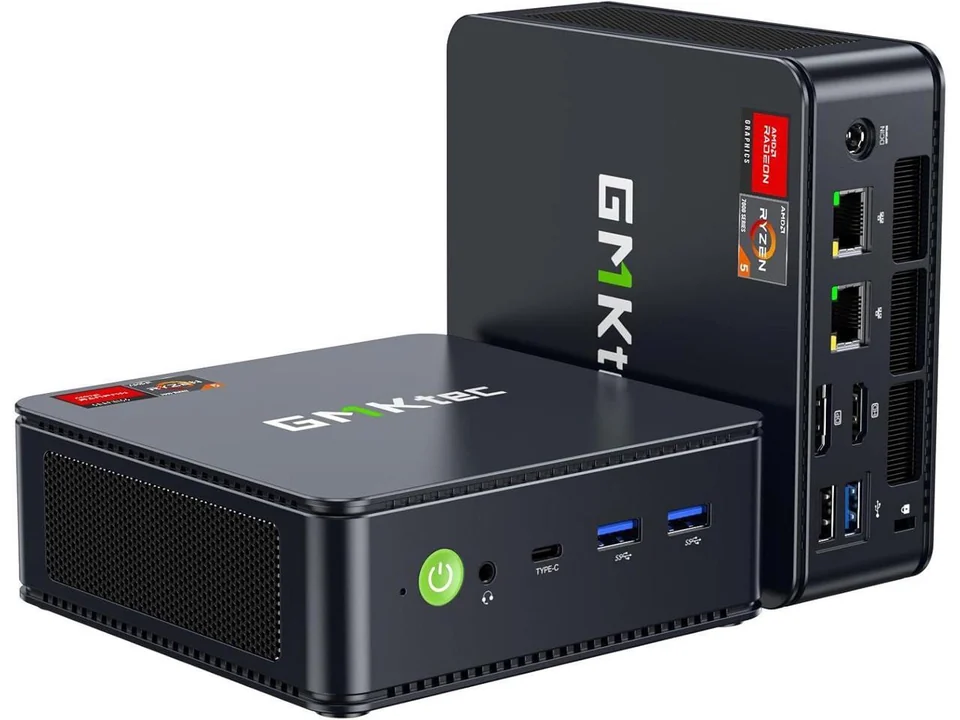
AnyAiCam Residential VMS — Ryzen 5 · $949.99
Our entry-level AnyAiCam appliance, made for homes. It runs the same AnyAiCam VMS (live view, recording, playback, events and smart alerts) on a compact Ryzen 5 appliance in your home.
Designed for a typical home setup:
Plus your monthly AnyAiCam plan, priced per camera. Final camera and analytics capacity will be confirmed after hardware certification; we help you size your home system before you buy.
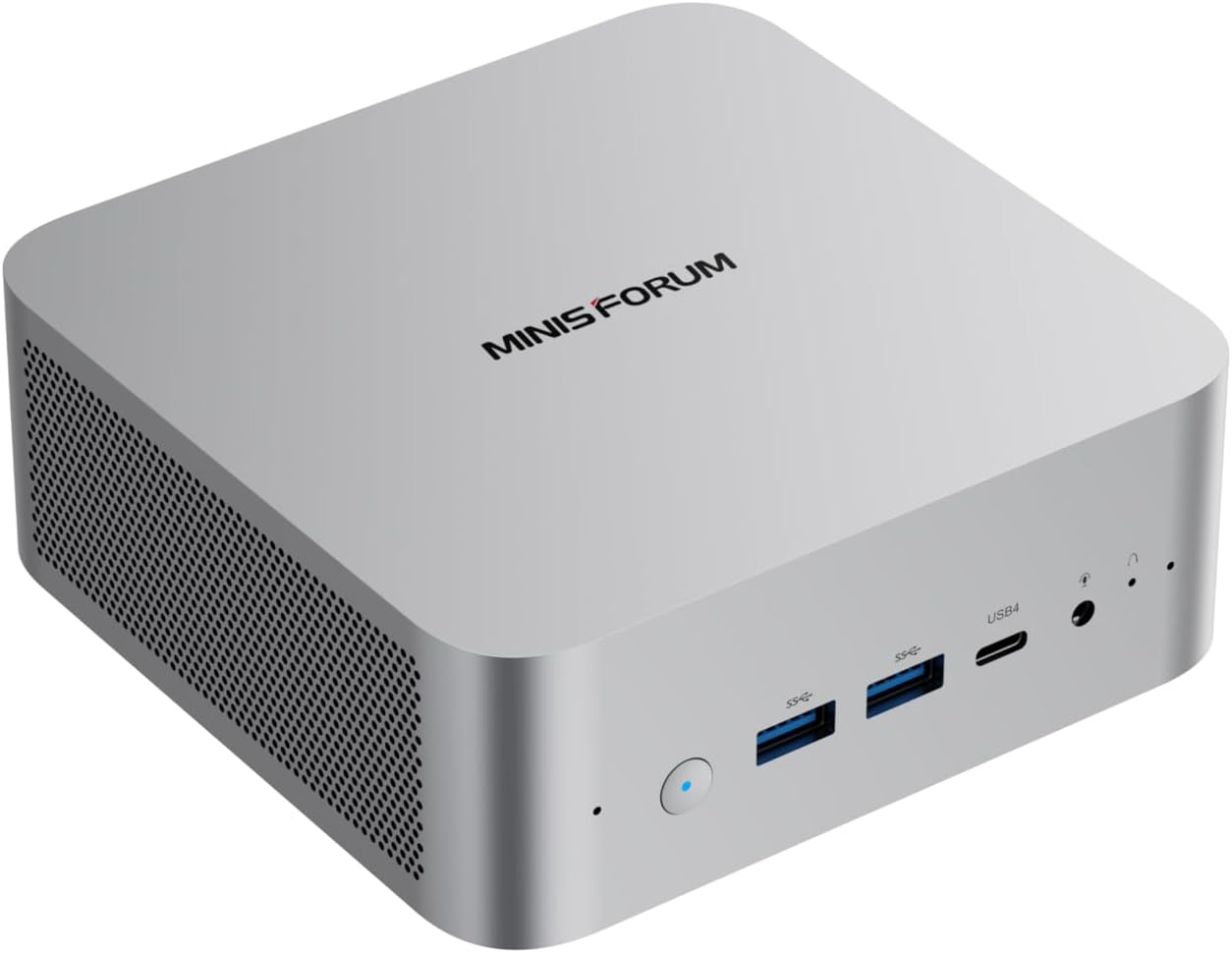
MINISFORUM AI X1-255 · Ryzen 7 255 · $1,249.99
Standard AnyAiCam VMS Edge appliance for local recording, live view, playback and approved analytics. The sourced configuration shown is 32 GB DDR5 with a 1 TB system SSD; recording storage is sized separately.
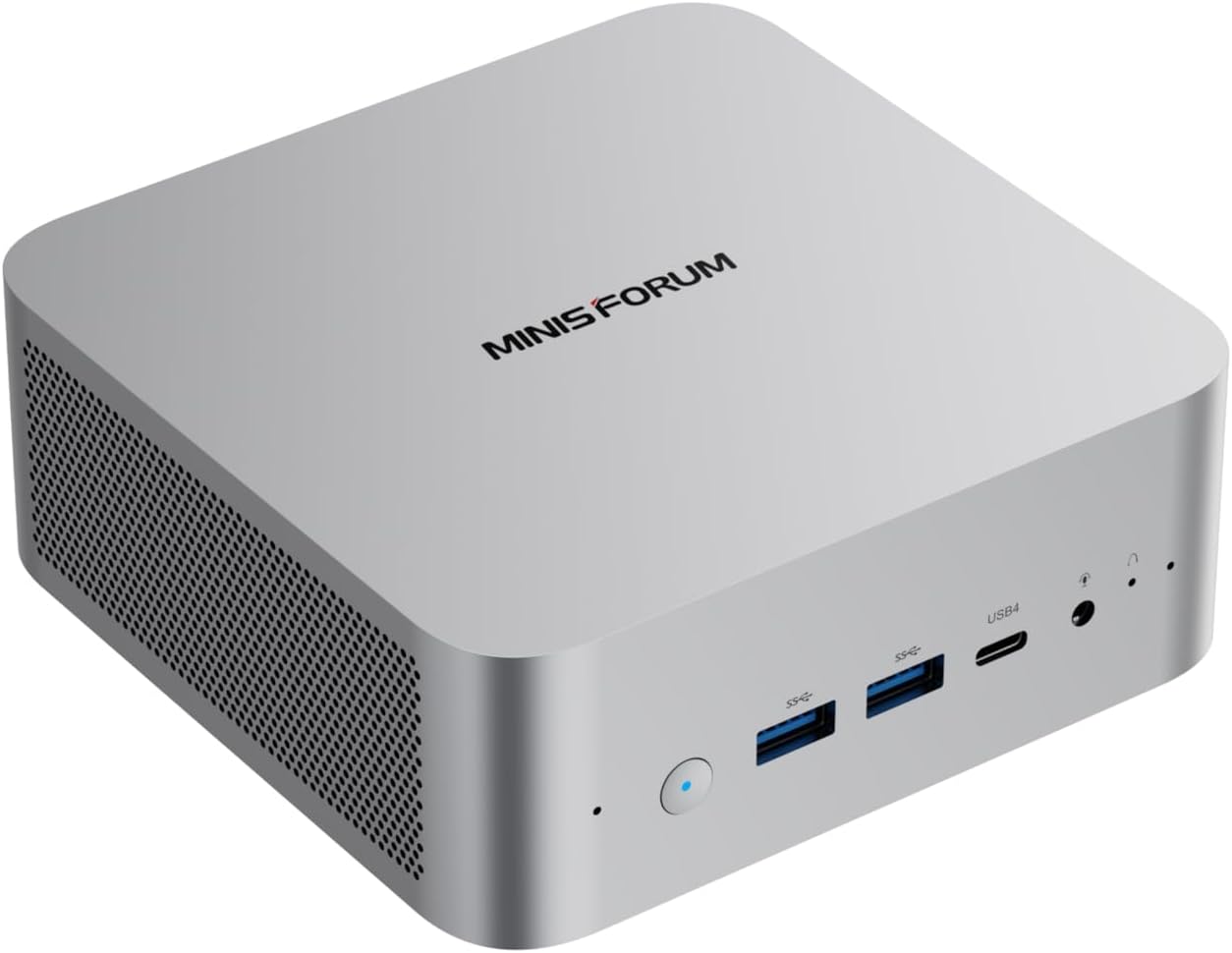
MINISFORUM AI X1 · Ryzen AI 9 HX 470 · $1,749.99
Higher-performance AnyAiCam VMS Edge appliance for heavier VMS and analytics workloads or planned expansion. The sourced configuration shown is 32 GB DDR5 with a 1 TB system SSD; recording storage is sized separately.
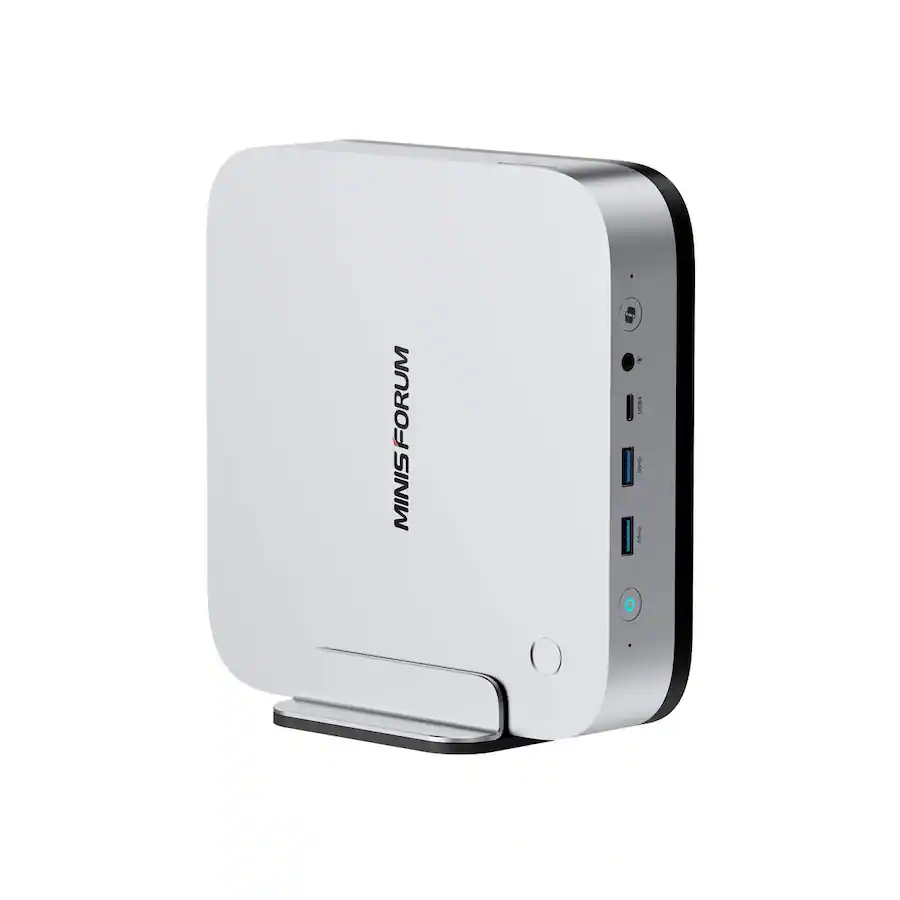
MINISFORUM AI X1 Pro-470 · $2,249.99
Separate local AI appliance for commercial AAC facial recognition and access-policy workflows. Liveness checks and access-control platform integrations are coming soon. It is not the standard VMS recording appliance.
AAC FACE ACCESS + STANDALONE ACCESS
Commercial AAC Face Access uses the AnyAiCam Enterprise appliance, with the Numato three-channel relay for door control; for homes, the AnyAiCam Residential VMS — Ryzen 5 includes front-door facial recognition for up to 5 household members; access-control platform integrations are coming soon. The relay can also be used on its own for local door/gate trigger control, and VMS-only systems on the AnyAiCam Starter (MINISFORUM AI X1-255 · Ryzen 7 255) or AnyAiCam Professional (MINISFORUM AI X1 · Ryzen AI 9 HX 470) do not need it. The video below is a third-party industry example of a person using facial recognition at an intercom.
MINISFORUM AI X1 Pro-470 · $2,249.99
Higher-performance local compute for commercial AAC Face Access (access-control platform integrations coming soon). Standard VMS-only systems should use the AnyAiCam Starter (MINISFORUM AI X1-255 · Ryzen 7 255) or AnyAiCam Professional (MINISFORUM AI X1 · Ryzen AI 9 HX 470).
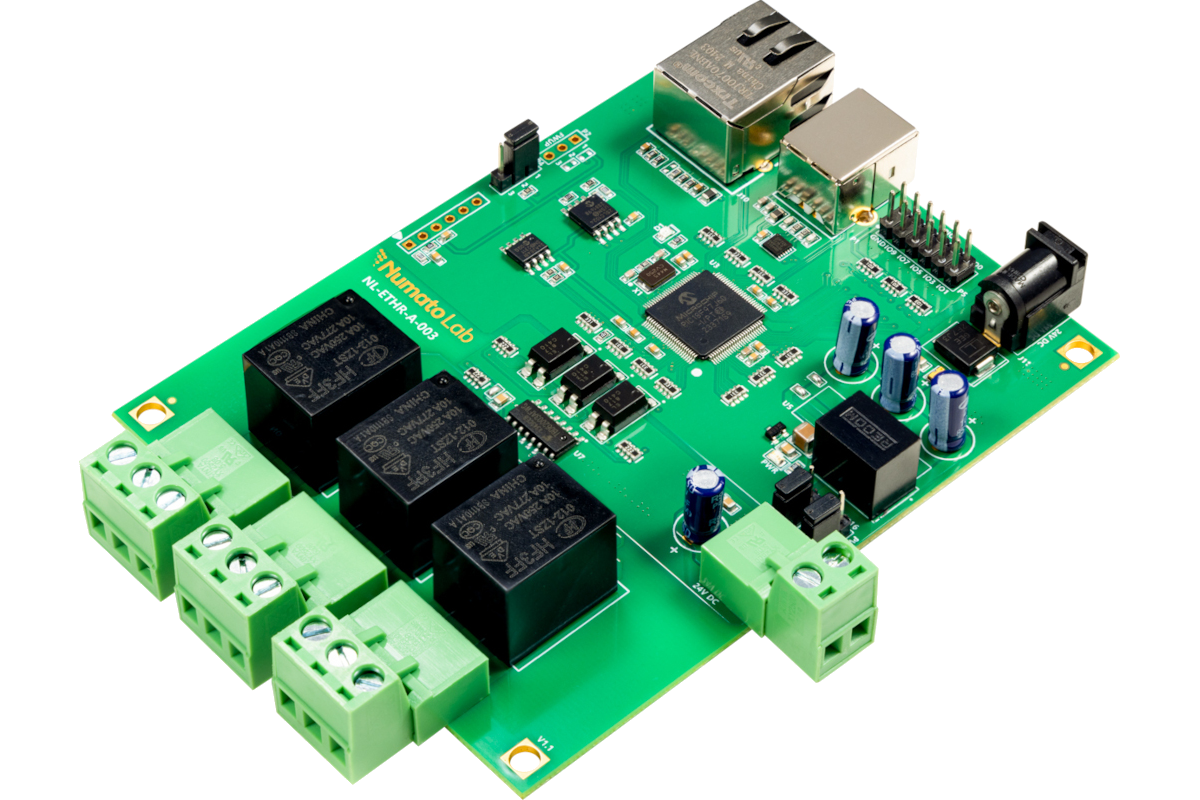
The local door-control hardware for AAC Face Access on the AnyAiCam Enterprise appliance, also usable on its own for compatible door/gate trigger inputs. VMS-only systems do not need it. Access-control platform integrations are coming soon.
Third-party Akuvox demonstration for visual reference only; not an AnyAiCam product demo or validated integration.
BUILD YOUR ANYAICAM SYSTEM
Pick an AnyAiCam appliance or your own Ubuntu 24.04 PC, choose 1 to 64 cameras and a monthly plan, and see your one-time and monthly costs before you continue to checkout.
Prefer cloud-only service? See Videoloft Cloud.